Badge stock
Blank or pre-printed stock cut to feed through a Zebra, with ribbon rolls matched to your quantity.
Spec your stockOnsite resources
Badge stock for Zebra printers, equipment, help on the day or a full crew to run registration. Plus our guide to running registration and activation well.
Our team is based here, so we can supply a box of badges or run your whole registration desk. All of it is delivered and supported in Singapore.
Blank or pre-printed stock cut to feed through a Zebra, with ribbon rolls matched to your quantity.
Spec your stockZebra printers, iPads, a 4G Wi-Fi router and MacBooks, configured and tested for your event.
Equipment rentalWe deliver, set up and test the counters, brief your registration staff, and stay on standby with a supervisor.
Onsite packagesOur crew runs registration from setup to teardown, so you can focus on your guests.
Full serviceServing venues across Singapore, including Marina Bay Sands, Suntec Singapore, Singapore EXPO and Resorts World Sentosa.
Registration management gets every guest in smoothly and counted. Activation gives them a reason to take part. Here is how EventNook handles each moment. Use all of it, or only what your event needs.
Send confirmations, QR tickets and day-of reminders on the channel guests actually read. Messages use approved templates, personalised for each guest.
WhatsApp messagingGuests scan their QR code or search their name at a self-service kiosk, or your team runs a staffed counter. Walk-ins are registered on the spot.
Kiosk check-inThe badge prints as each guest checks in, in about two seconds. Nothing is pre-printed by name, so no-shows leave no waste and late changes are simple.
Badge printingScan guests in and out of breakouts, master classes, meals and dinners. Watch live occupancy, manage capacity and report how long people stayed.
Session check-inAttendees ask and upvote questions on their phones. A moderator works the queue and puts one question at a time on the big screen.
Live Q&ANookPass puts the agenda, digital badge, floor plan and announcements on every phone. It opens in the browser, so there is nothing to install.
NookPassExhibitors scan the QR on a badge, add notes and qualifiers, and export their leads in one click. It works on any iOS or Android device.
Exhibitor scanA stamp rally that moves people around the event. Stops are scanned by staff or by attendees themselves, and every stamp is a recorded visit.
Digital passportEach eligible guest holds one number, in the app or printed on the badge. The host runs the draw from a console, and every result is recorded before it reaches the big screen.
Lucky drawThe badge a guest receives at the door carries them through the rest of the event.
Some of these are add-ons, and NookPass features depend on your plan. We’ll confirm what’s included when we scope your event.
| Event | Registration | Activation |
|---|---|---|
| Conference | Kiosk check-in, 4 × 6 in tear-proof badge, breakout session tracking | Event pocket app, Live Q&A |
| Exhibition | Kiosk check-in, 4 × 12 in foldable badge, exhibitor lead scan | Digital passport, event pocket app |
| Gala dinner or awards | Staffed counter, satin badge, table numbers | Lucky draw |
| Corporate seminar | WhatsApp reminders, kiosk check-in, tear-proof badge | Live Q&A |
Prints each guest’s details in about two seconds. We recommend the ZD500 and ZD620 desktop printers.
One black ribbon prints about 440 badges at 4 × 6 in, or about 220 at 4 × 12 in. Each printer needs its own roll loaded.
Art card or tear-proof, blank or pre-printed with your artwork. Allow extra for testing and reprints.
iPads run the check-in app as kiosks or at staffed counters. Check-in can also run from a laptop at the same station.
A dedicated connection keeps your counters off the venue’s shared guest Wi-Fi. We rent a 4G mobile router for this.
Tear-proof badges need no plastic holder. Art card is usually paired with one, so the lanyard doesn’t tear through.
Your artwork is pre-printed on the stock. On the day, the Zebra adds each guest’s details in black, on the front. Choose your options to build a spec.
Pre-printing your artwork takes about two weeks (10 to 14 working days) from artwork confirmation, so send it early. Our onsite packages include an extra 30% of stock for testing and reprints.
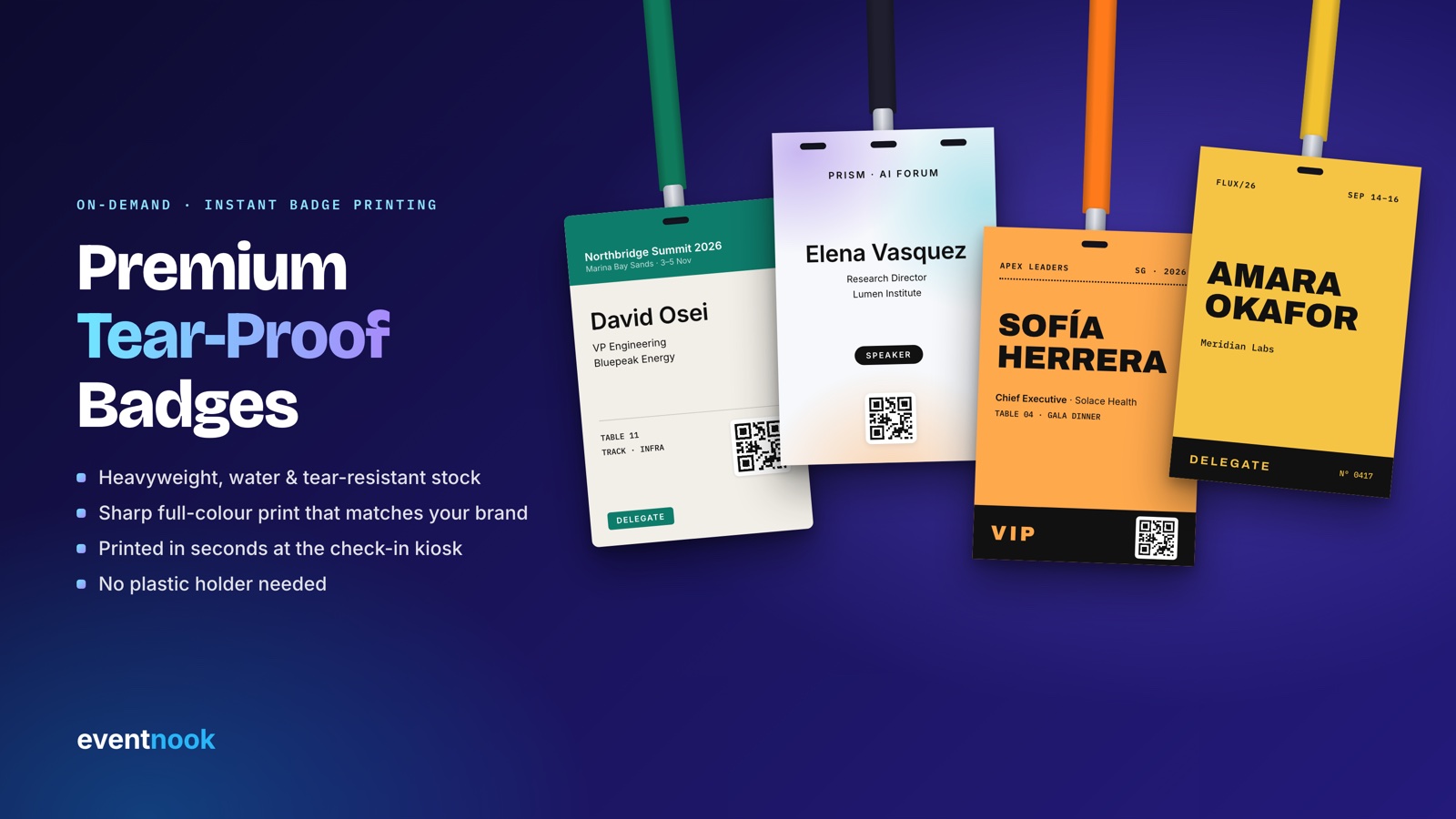
Heavyweight, recyclable synthetic stock. The lanyard hole is punched straight through, and no plastic holder is needed.
Coated card from 150 to 230 gsm, with a matte or glossy surface and a crisp full-colour finish.
A soft fabric label that suits formal wear better than a lanyard. Printed onsite like any other badge.
A plain adhesive name label for smaller, informal events, with no lanyard to hand out.
Want a rigid card instead? PVC badges carry guest details on a printed clear sticker. Samples matter more than most people expect, so ask us to compare materials by hand.
Need something else? We also customise badge dimensions, orientation and hole placement. Compare more formats in the badge size guide, or browse 67 ready-to-print designs.
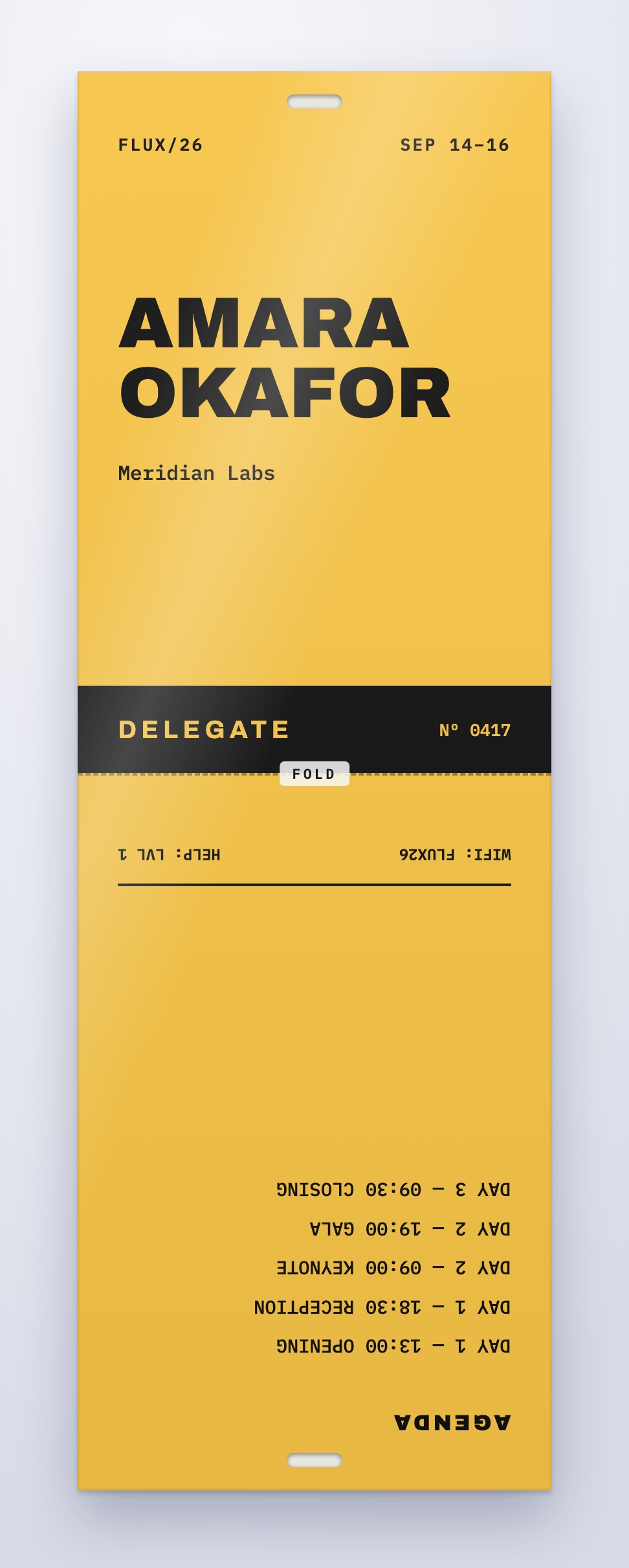
The 4 × 12 in badge prints flat as a single piece, then folds in half to a 4 × 6 in badge.
The standard choice. The Zebra also uses it to sense where each badge starts.
For a double-clip lanyard that stops the badge spinning. Check the printer’s sensing with us first.
Keeps the sensing hole and gives you a double-clip option too.
Corners can be rounded or sharp. Hole size and placement can be customised. You don’t need to draw holes or rounded edges in your artwork, because they’re added during production.
Read the full Zebra badge design guidelines.
A guide, not a guarantee. Each printer needs its own ribbon loaded. Counters follow our standard packages, with one printer and one iPad each. As a rule of thumb, plan about 6 counters for 1,000 guests arriving within an hour. Your arrival peak matters most, so try the onsite registration planner.
Rent the kit from us, or use your own. These are the settings our help centre recommends.
| Setting | Recommended |
|---|---|
| Print method | Thermal Transfer with a ribbon. Direct Thermal needs heat-sensitive stock. |
| Media type | GAP/NOTCH for punched holes or gaps, with the sensor moved under the hole. MARK for stock with black marks. |
| Resolution | 203 DPI for ZD500, 300 DPI for ZD620 |
| Darkness and speed | Darkness 28, print speed 4 |
| Printing from an iPad | The iOS kiosk app needs the Zebra shared over AirPrint. Printopia on a MacBook does this. |
Step-by-step help: Setting up a Zebra printer · Connecting to a Zebra printer · Supported printers
For badges on a lanyard: 4 × 6 in and 3.74 × 5.70 in (95 × 145 mm), which we recommend, plus 4 × 5, 4 × 4, 3.5 × 5 and 4 × 3 in. The 4 × 12 in foldable also runs through the printer. For stickers: 4 × 2.5 in (recommended) and 4 × 3 in.
No. It prints in one colour, normally black, and on the front only. Colour comes from your pre-printed artwork, which can be single-sided (4C/0C) or double-sided (4C/4C). Leave a white or light area on the front for guest details.
Art card is coated card from 150 to 230 gsm, in matte or glossy, and suits single-day events. Tear-proof is a heavyweight recyclable synthetic that resists tears, water and scratches and needs no plastic holder, so it suits conferences, exhibitions and multi-day events.
A 4 × 12 in badge prints flat in a single pass, then folds in half to 4 × 6 in, with holes at both ends that line up. That gives two faces: usually the name and check-in QR on the front, and an exhibitor QR, agenda or sponsors on the back.
Keep the centre hole, because the printer uses it to sense each badge. Two side holes suit a double-clip lanyard that stops the badge spinning. We can also customise hole size and placement.
As a guide, plan 30% extra stock for testing and reprints. One ribbon prints about 440 badges at 4 × 6 in, or about 220 at 4 × 12 in. These are estimates, not guaranteed yields.
Yes. For events in Singapore you can order stock on its own, add equipment rental, or have our crew run the whole desk. Tell us your date and quantity and we will quote for what you need.
Allow about two weeks (10 to 14 working days) from artwork confirmation. Tell us your event date and we will work backwards from it.
Share your date, venue and guest count, and our Singapore team will come back with a plan and a quote.